
How to Make the Single Ladies Dog Dance with Your Own Dog
In the Single Ladies dog dance trend on TikTok, a dog takes center stage while two backup dancers perform the routine behind it. Here you can make that video with your own dog from a single photo.
This guide shows an actual example made with this generator, the five moments of the 19-second routine, how to choose a photo that gives the AI the most to follow, what a video costs and how to add the song when you post.
- Photo
- 1 dog photo
- Download
- 19-second vertical MP4
- Resolution
- 1080p, 9:16
- Sound
- Silent or original sound
See the photo and the video it made
This is the example shown on our homepage. The photo on the left is the exact input; the video beside it is what the generator made from it. The photo is AI-generated, and the video is not a customer testimonial.
A golden Maltipoo in the studio
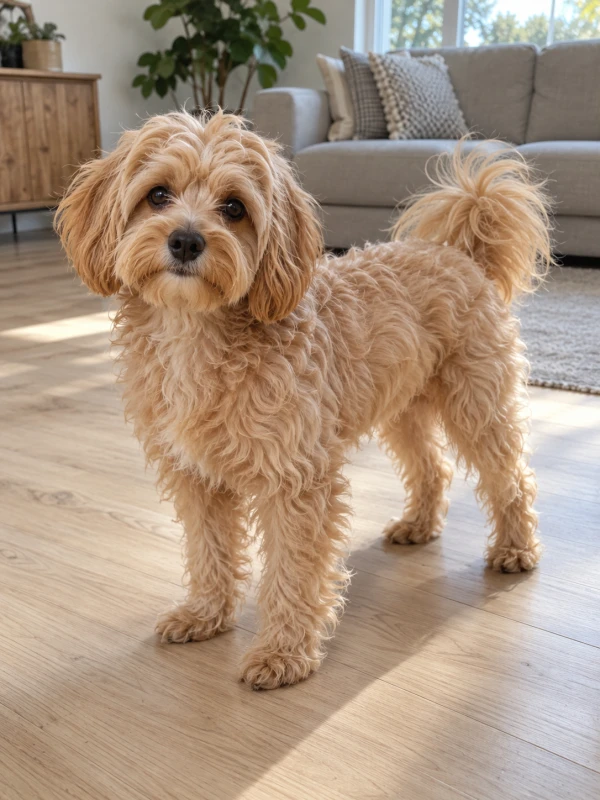
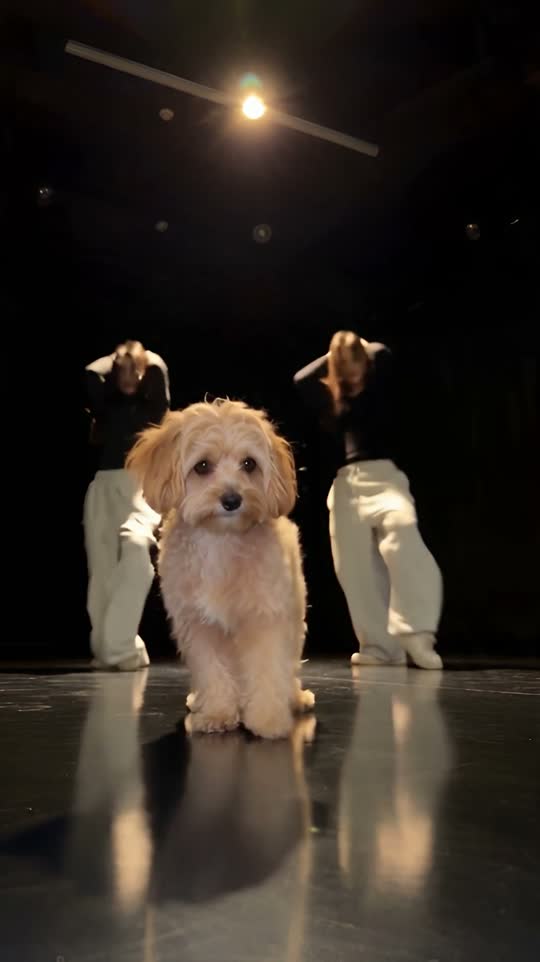
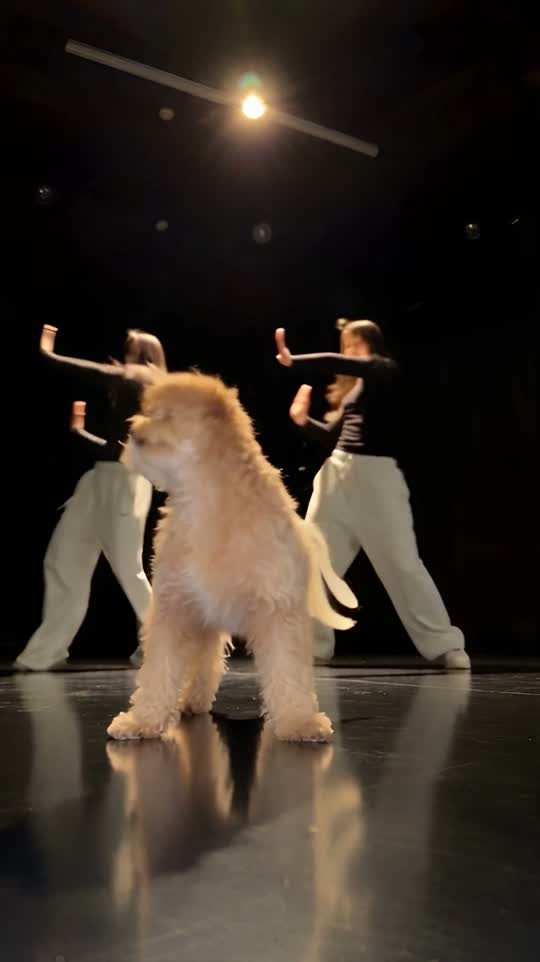
The Maltipoo stays in front for the whole clip, nodding, tilting its head and turning so its ears and fur move, while the two backup dancers follow the routine behind it.
Input: an AI-generated Maltipoo photo. Output: the generated 19-second video, shown here without sound.
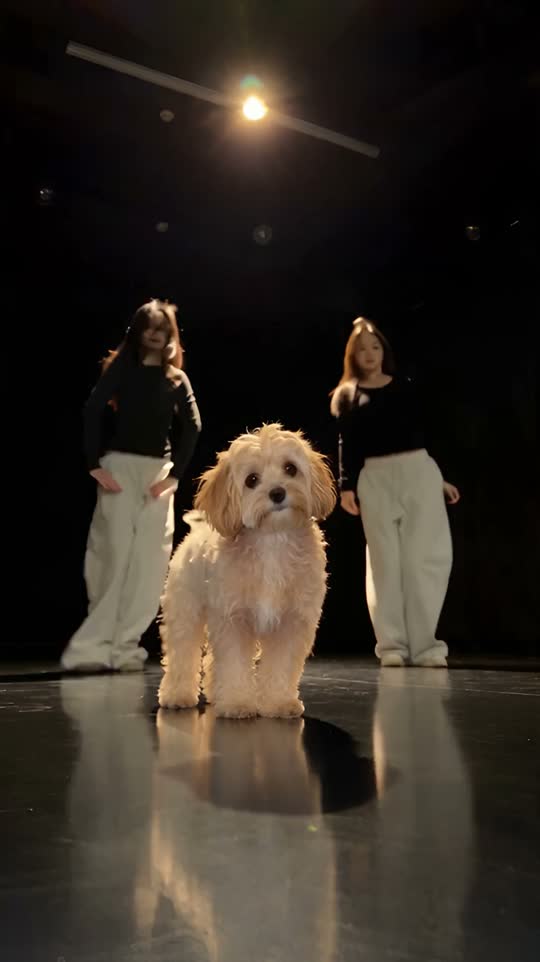
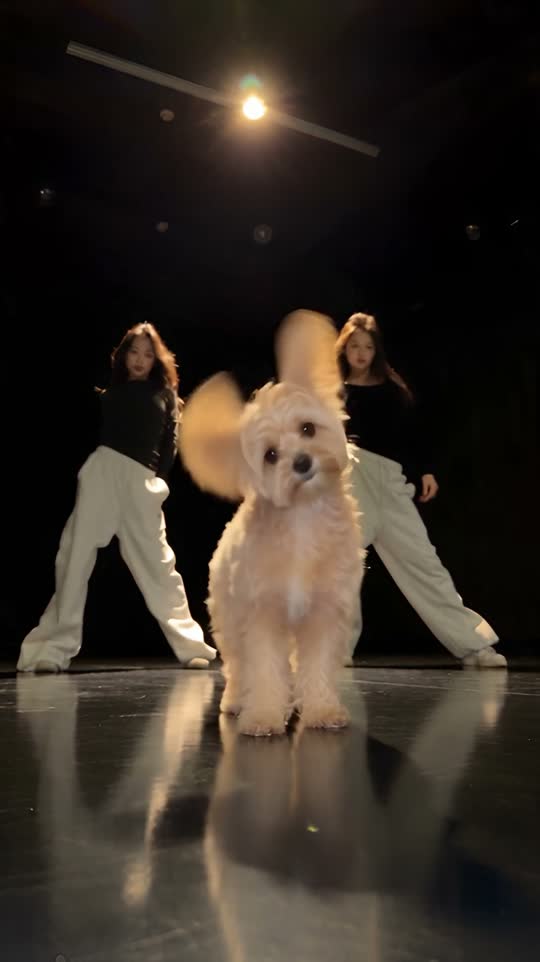
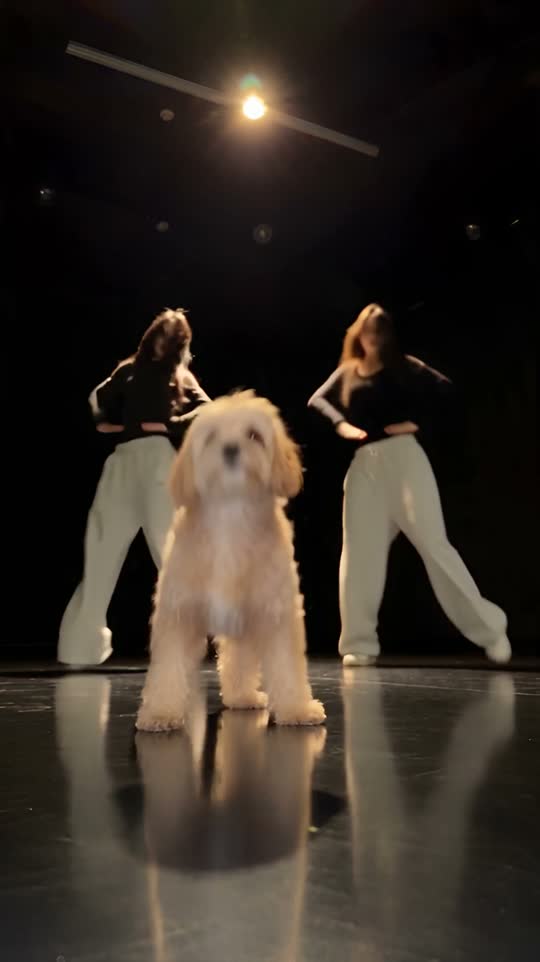
The 19-second routine, moment by moment
Frames from the generated Maltipoo example above, at 0, 4, 8, 12 and 16 seconds. Every video follows the same routine in one continuous studio shot: one dog in front, two dancers behind. Your result will vary.
Make your own Single Ladies dog video
Add one photo of your dog
Open the generator and add a clear photo of your dog, with its face, ears and paws visible. One dog is all you need; the two backup dancers are added for you. There is no prompt to write and no video to upload.
Choose a pack and pay once
Choose 1, 3 or 5 videos and enter your email at checkout. No account is needed. Generation starts after payment.
Wait about 10–15 minutes
We show the result on the page and email you a link when it is ready. Processing can take longer when the video provider is busy.
Watch, download and add the sound
Watch the whole clip before sharing it, then download your 1080p video, silent or with the original sound for personal viewing. To post, use the silent one: add Single Ladies from the licensed sounds in TikTok, Reels or Shorts and line it up with the routine.
Choose a photo that gives the AI the most to follow
Use a sharp original photo with one dog facing the camera. Show the whole body, including the ears and paws, in good light. Avoid heavy filters, costumes, screenshots and anything covering the face.
The photo guides the breed, face, markings and coat length. This version is designed for one dog: use a photo with only your dog in it. Cats, people and multiple pets are not supported by this dance setup.
What to check after the video is ready
Compare the ears, fur, paws and proportions with your photo, especially during the quick head movements, where AI is most likely to change them. A completed video uses its credit, and each new try uses another.
Add the Single Ladies song when you post
Download it silent or with sound. Silent is best for posting: add Single Ladies from the licensed sounds available to your account in TikTok, Reels or Shorts, then line it up with the dance. Availability and permitted uses vary by platform and region. Original sound is for personal viewing and is not licensed for public posts.
Single Ladies Dancing is an independent AI tool, not affiliated with Beyoncé, the song’s rights holders or the creators of the reference clips.
What does a dog dance video cost?
One video uses one credit. Credits come in one-time packs, with no subscription, and they do not expire.
- 1 video
- USD 7.99
- 3 videos
- USD 19.99
- 5 videos
- USD 29.99
Check the pricing page and checkout for the final currency and total.
If generation fails, the credit returns automatically so you can try again. You can request a refund for a pack within 7 days of purchase if all its credits are unused. See the Terms.
Before you upload
Will it keep my dog’s breed and coat?
- The photo guides the breed, face, markings and coat length, but the match is not guaranteed. AI may change the ears, fur, paws or proportions, especially during quick head movements. A sharp original photo of one dog facing the camera, with the whole body visible in good light, gives it the most to follow. Watch the whole clip before sharing it.
Can I upload a cat, a person or two dogs?
- This version is designed for one dog. Use one photo with only your dog in it. Cats, people and multiple pets are not supported by this dance setup.
Can I post it on TikTok or Reels, or use it commercially?
- You can post the silent version on TikTok, Reels or Shorts. Add Single Ladies only from the sounds the app makes available for your account and intended use. Our Terms describe the video as an AI-generated MP4 for entertainment: they include no license to the Single Ladies recording and do not guarantee exclusive copyright or clearance of third-party rights, so you are responsible for any permissions a commercial use needs.
Who processes my photos?
- Your photos are processed by Seedance 2.5, a video model by ByteDance, to generate your video. Uploaded photos are scheduled for deletion 7 days after upload.
How long are my photos and videos stored?
- Your photo stays in your browser until you pay and generation starts, then it is sent to our AI provider. Uploaded photos are scheduled for deletion 7 days after upload, and generated videos 7 days after they are made. Download any videos you want to keep.
Will my download have a watermark?
- No. Your downloaded video has no watermark.
More answers are in the full FAQ.